Hi,
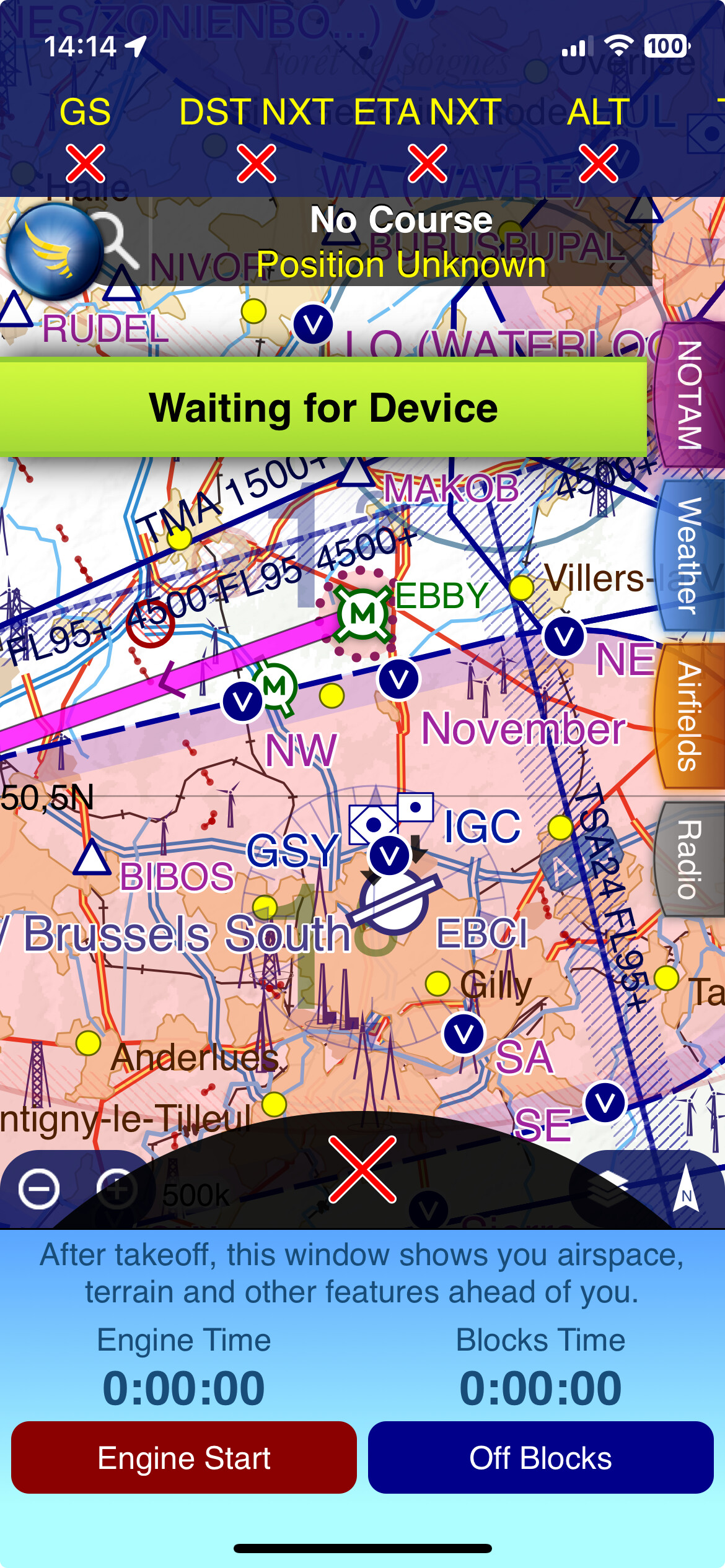
ever since the last updates or so I have issues with the integration of SafeSky in SkyDemon. I lose the SafeSky data every few minutes, when running as a GDL90 app on a Lenovo M11.
I have tried all usual suspects of battery management, and it seems only to have gotten worse.
I can “wake” Safesky by switching to it, but it is highly distracting
I’m using the Safesky - Skydemon integration since it became available and it worked perfectly until a few weeks ago.
Apple iPad mini 6 cellular - GDL90 - Safesky running in the background
Two times during flight, Skydemon gave the notification “Waiting for device” and does not recover. When switching to Safesky, the app seems to have crashed, and disappears or restarts (I cannot quite remember). The only difference in my setup seems to be the upgrade to iOS26 (and perhaps app upgrades, but those are more difficult to keep track of). Any ideas/suggestions?
If SafeSky crashed, that would likely explain why SkyDemon stopped receiving traffic. Could you please check that “Send anonymous data” is enabled in SafeSky under Menu → Legal? That will allow us to access the relevant log files and understand why the app crashed.
The last time the issue occurred was on January 24, at 18:21. My flight data ends after a touch & go at EDLN (not a full stop landing) in night VFR conditions.
Unfortunately, I am experiencing similar issues with SafeSky.
I am also using an iPad Mini (6th generation) with the latest software on the iPad/Safesky.
I use SkyDemon and have paired Safesky and left it open in the background.
Over the weekend, I had two longer flights, each with a flight time of approximately 2.5 hours.
As mentioned in the other comments above, the app crashed a total of 19 times during my two flights! This should not happen.
I have experienced this before on previous flights, 1-2 times per flight, but this number exceeds everything.
I am very annoyed and am even considering stopping using the app because it is extremely unpleasant when the app crashes in critical situations and the navigation software no longer works.
I had a similar problem: both SkyDemon and SafeSky frequently lost connection to the Aerotracker. After countless emails, the last one unanswered, I tried replacing the iPad with an Android tablet. Now it finally works. There’s probably some unknown setting with the iPad that I can’t fix. After almost a year, it’s finally working.
Regards, Giancarlo.
I tried everything, even connecting only Skydemon or Safesky to the Aerotracker, but during the flight I constantly received voice warnings saying “DEVICE CONNECTION LOST,” thus becoming an unsafe source of attention loss. Now with the Android system it works perfectly.
I am experiencing the same issue on an iPad Pro 2025 running latest Safesky 3.0.33 (516) and Skydemon 4.2.5.440.
I can reproduce the issue sitting at my desk at home by disabling both Wifi and Cellular data. After disabling both, the “online” depiction of Safesky becomes weird and after several minutes, Skydemon report “Device connection lost“.
Several questions arise after turning both off:
In the ONLINE depiction: Why is the “SafeSky” indicator green, but the text reads “… minutes ago”. The internet connection is offline, there cannot be any connection to the Safesky network.
An other time, same circumstances:
The “SafeSky” indicator turns red, but the text reads “Just now”.
This does not make any sense…
Why is the “My position” indicator green, but the text reads “… minutes ago”.
The GPS-Position is for sure still updated in the device, I am sitting at my desk at home…
And MOST IMPORTANTLY
Why does Safesky seemingly stop broadcasting the GPS position within the device after some minutes.
Skydemon notifies “Device connection lost” and does not regain connection until Safesky gets shutdown, restarted and finally “Takeoff” pressed.
Tristan, please PM me, I will happily share a video with you.
My “Send anonymous data“ was turned on all the time.
This issue MUST get resolved as it renders Safesky UNSAFE to fly!
It is a mayor distraction during flying and completely misses the mark.
Thanks Jan, we are trying to reproduce as you explain… and we are retrieving your anonymous log files. Would you have a date and time where you managed to reproduce this?
Hi, I tried to take a 30-minute drive and Skydemon with the Aerotracker disconnected at least 6-7 times. (Device Connection Lost.The connection has timed out unexpectedly). These are the messages on my IPAD.
Could you please confirm which version you are running (from the profile page, at the bottom)?
Could you also please “Take off” from SafeSky (no need for SkyDemon), wait for 30 seconds, and “Stop” so that we can receive your test drive logs to analyse?